Newsletter
How to Write and Reset a CGDI Keyless Go Key
Matched product:

CG MB FBS3 BGA KeylessGo Key 315/433MHZ with Shell for W204 W207 W212 W164 W166 W216 W221 W251 After Year 2010 Get 1 Free Token
Latest price:€60.00€44.0027% off
- Item No. SA1880-B1+SA1794-C1
- Free Shipping
CG MB FBS3 BGA KeylessGo Key 315/433MHZ with Shell for W204 W207 W212 W164 W166 W216 W221 W251 After Year 2010 Get 1 Free Token
W204 (C-Class), W207 (E-Class), W212 (E-Class), W221 (S-Class), W216 (CL-Class), W164 (ML-Class), W251 (R-Class), W166 (ML-Class), and W164 (GL-Class).
Guide: How to Write & Reset a CGDI Mercedes-Benz Keyless Go Key
Example vehicle: Benz W211
Preparation
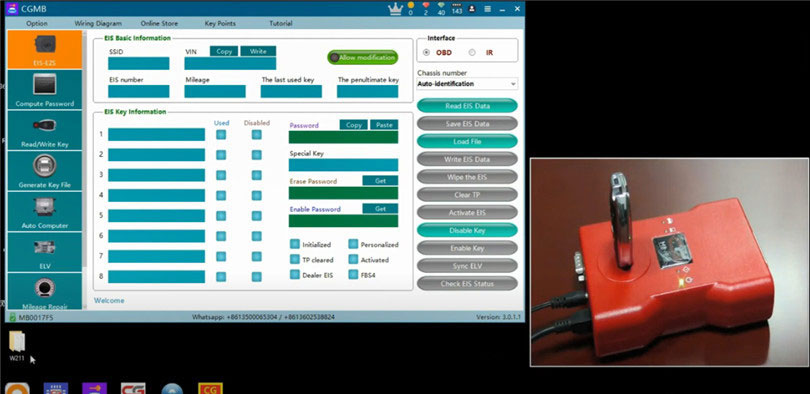
- Connect the CGDI MB Key Programmer to your computer via USB and supply power.
- Place the CGDI MB Keyless Go key on the CGDI programmer coil.
- Launch the CGDI MB software.
1. Writing a Benz Keyless Go Key
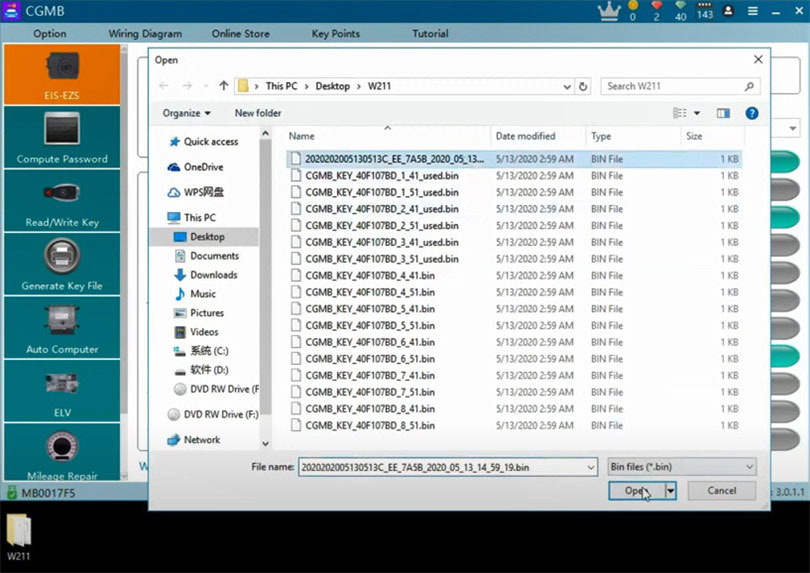
1). Navigate to EIS–EZS → OBD → Load File.
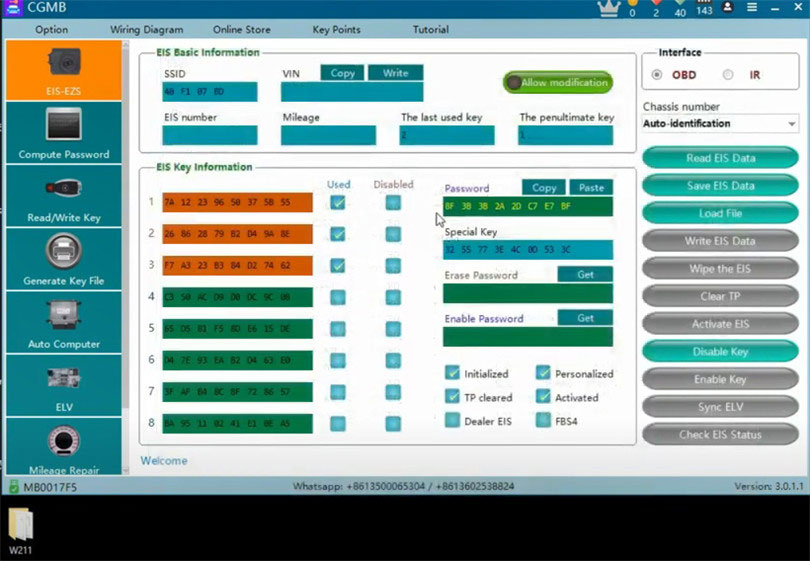
2). Select the original EIS data file containing the key information and password, then click Open.
- The EIS basic info and key password will load successfully.
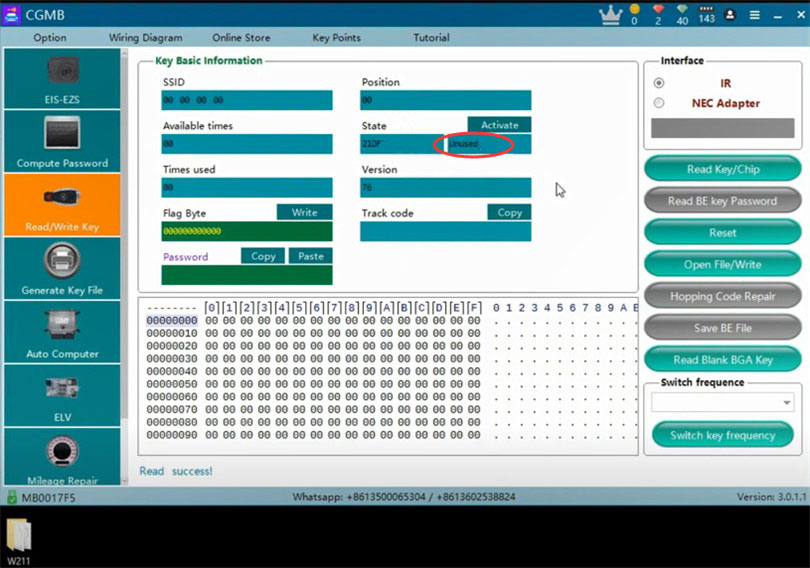
3). Go to Read/Write Key → Read Key/Chip.
- The key version shows 76, meaning it's a "killer cookie."
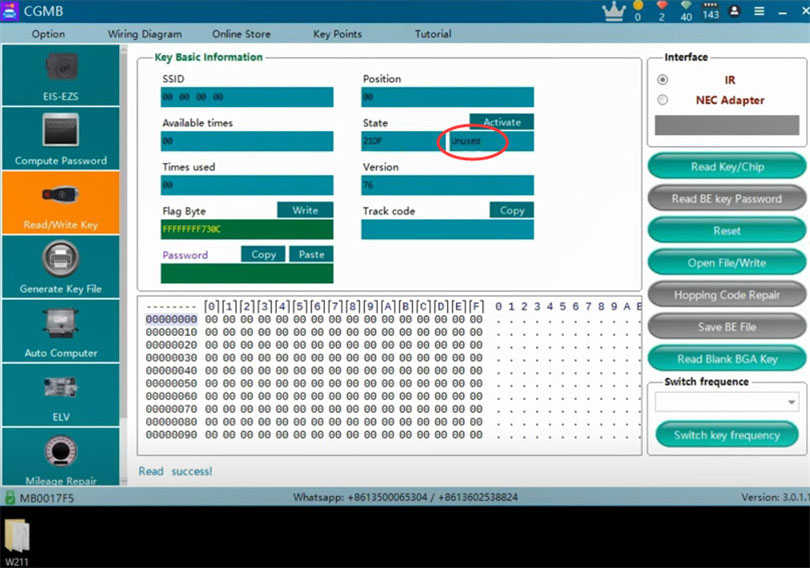
- The key status should display Unused.
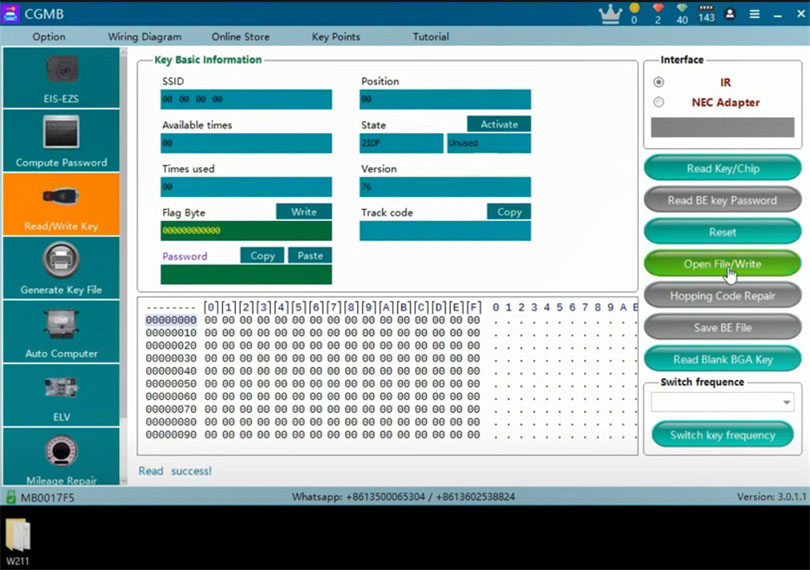
4). Click Open File / Write.
- Choose an unused 41-format file (e.g., key slot 4).
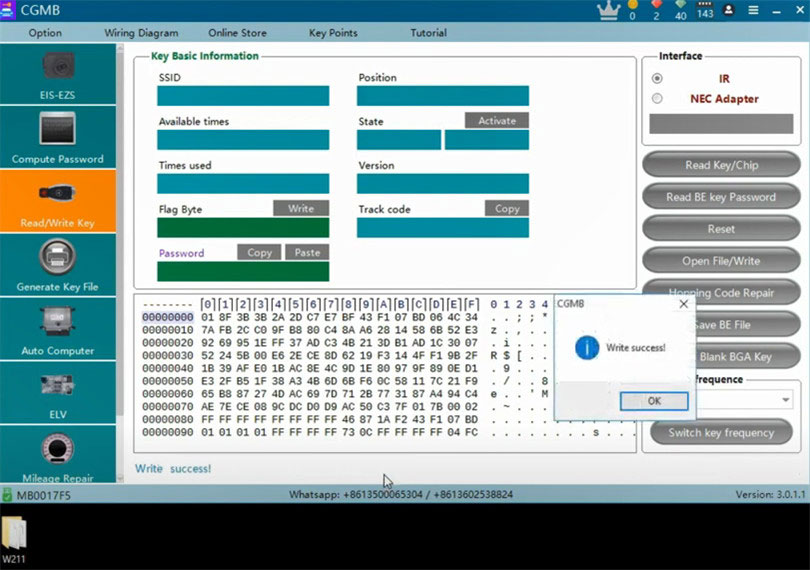
5). After writing succeeds, read the key/chip again.
- The key status will still show Unused, so it must be activated.
Activate the Key
- If possible, activate the key in the vehicle for best results.
- If activating in software:
- Click Activate.
- Copy the key password from EIS/EZS and paste it into the Read/Write Key page.
- Ensure the key remains in the CGDI MB coil.
Once activation succeeds, read the key/chip again.
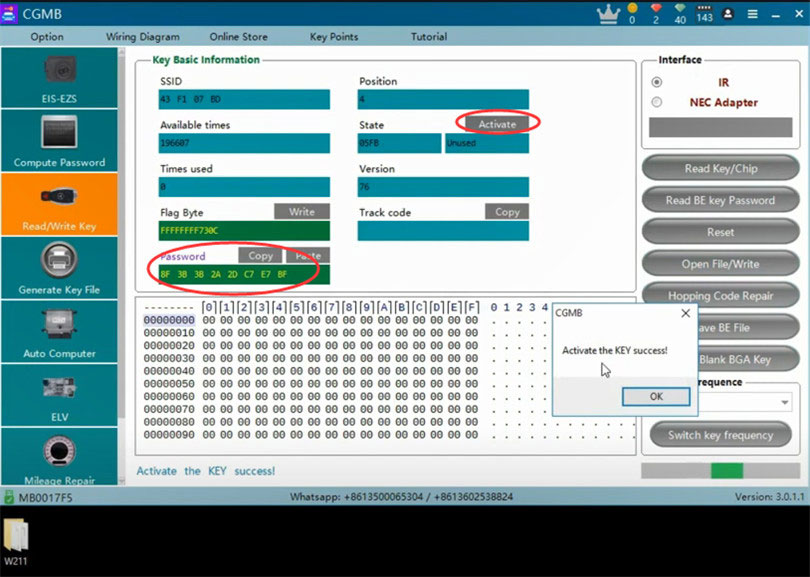
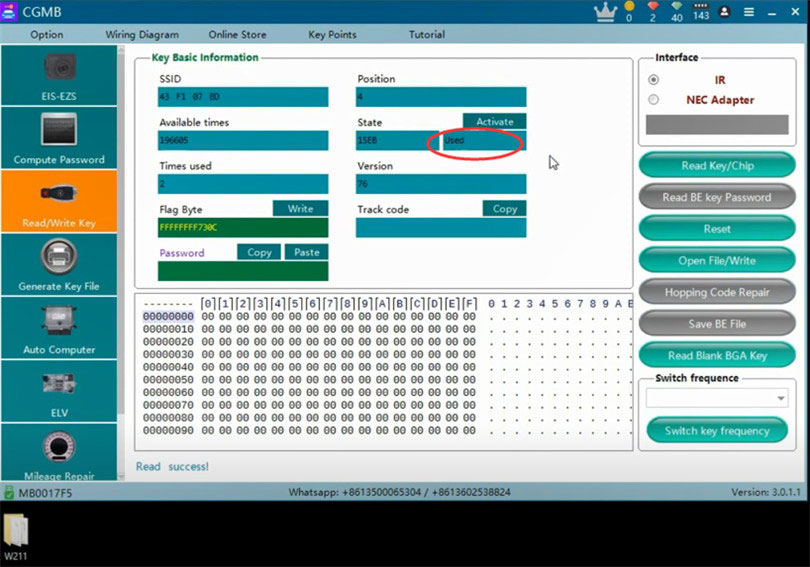
The key status should now show Used.
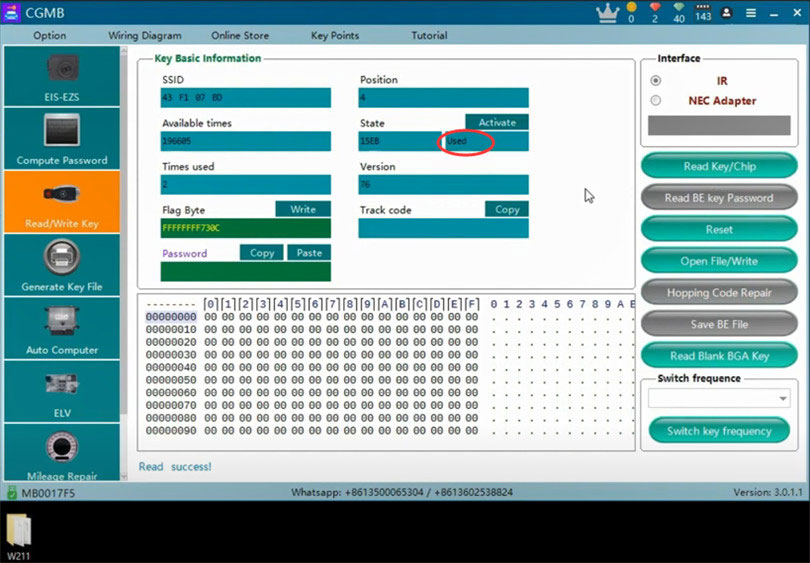
2. Resetting a Benz Keyless Go Key
Method 1: Manual Reset
1). Remove the key from the CGDI MB programmer.
2). Press the trunk button, then press the lock button while holding the trunk button.
- The red LED will turn on.
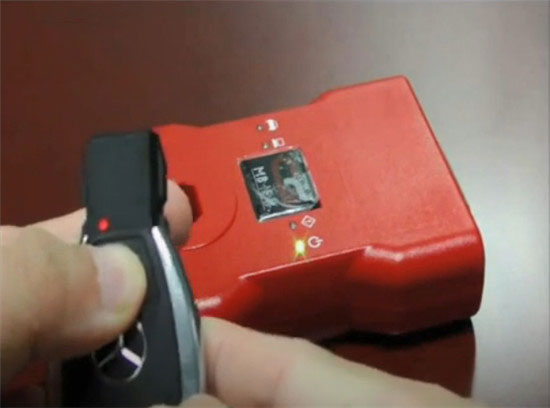
3). Press the unlock button.
- The red LED will turn off — this indicates a successful reset.
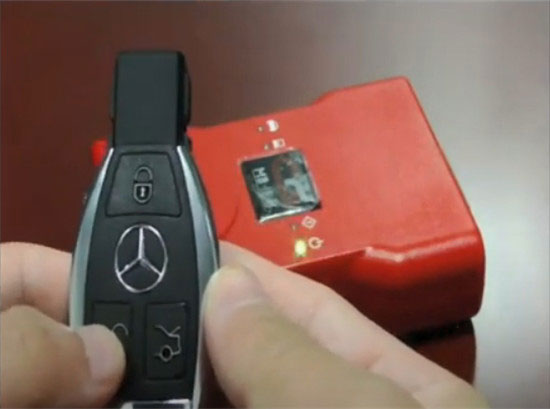
4). Place the key back on the CGDI MB coil and read the key/chip.
- The key status should now be Unused.
5). Select the 41-format file again (e.g., key 4), write it, and activate.
- The key status will change to Used.
Method 2: Reset via CGDI MB Software
1). Click Reset.
2). The software will show Reset successful.
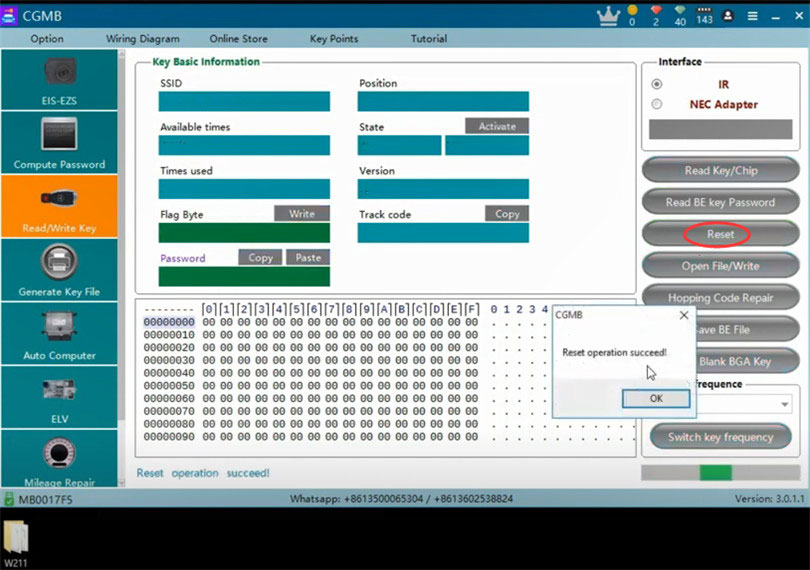
3). Read the key/chip again.
- The key status will change from Used to Unused.