Newsletter
How to Disable the 2018+ JLR Active Alarm Using CG100X (All Keys Lost) ?
Programming a replacement key on 2018 and newer Jaguar Land Rover (JLR) vehicles in an All Keys Lost (AKL) situation presents a specific challenge: an active factory alarm prevents diagnostic communication across the vehicle network. While replacing or resoldering the RFA module is a common workaround, this approach carries a significant risk of permanent module damage.
Using the CGDI CG100X programmer to modify the EEPROM data on the BCM module offers a safer and more reliable alternative. This method effectively disables the alarm and restores normal system communication, allowing the key programming process to proceed.
Step 1: BCM Chip Identification and Wiring
1. Locate the integrated Gateway and BCM module inside the vehicle.
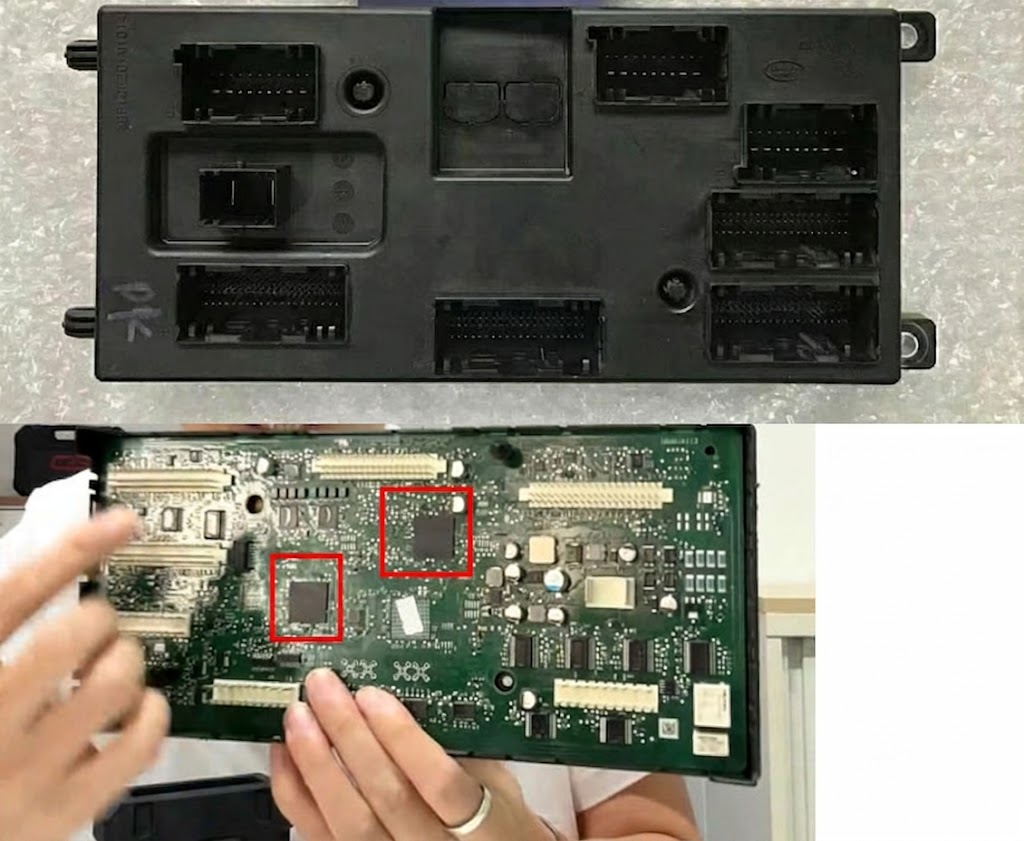
2. Identify the BCM component alongside the gateway chip.


3. The target chip for this procedure is the 95128 8-pin EEPROM.
4. Solder the 8 connection wires to the BCM board, following the CG100X wiring diagram precisely.
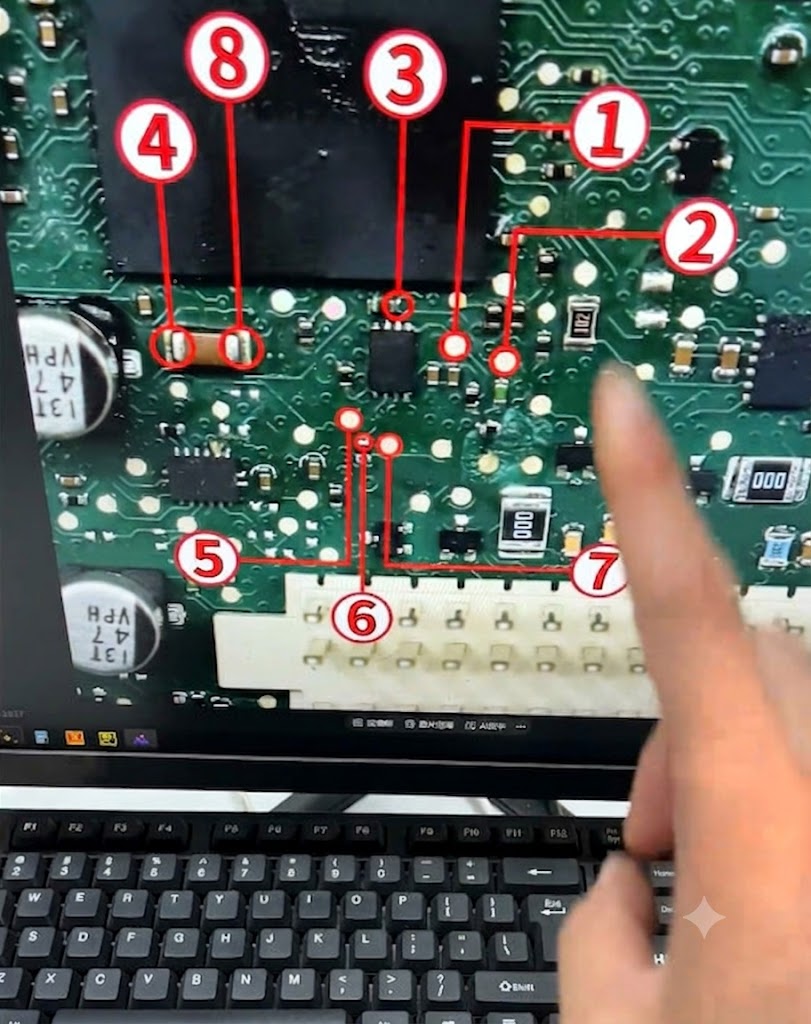
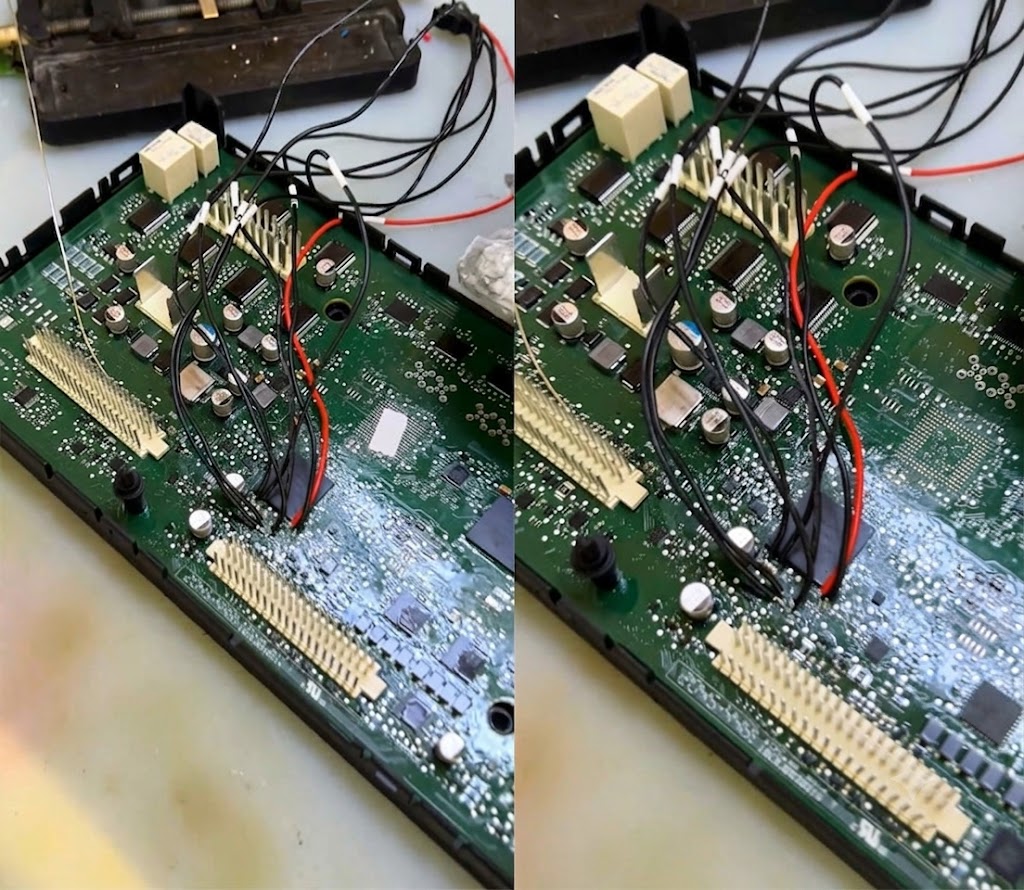
5. Connect the wiring harness to the CG100X EEPROM adapter, then attach it to the programmer.
Step 2: Reading and Flashing the 95128 Chip Data
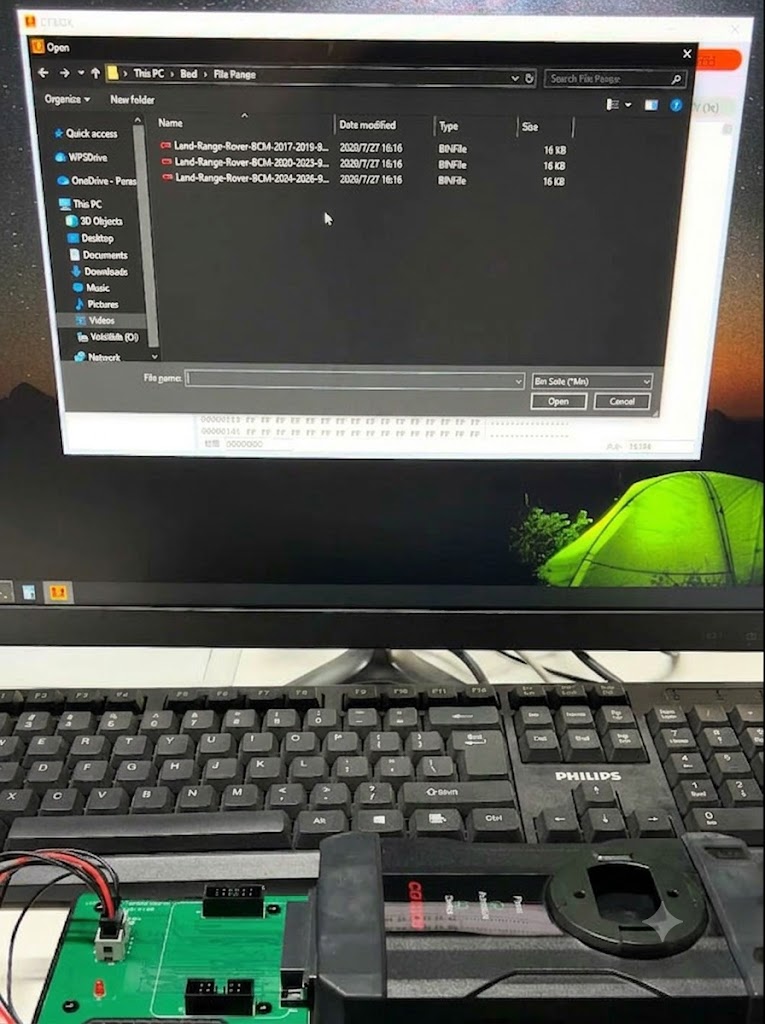
1. Launch the CG100X software and navigate to:
8-pin chip > 95X > 95128
2. Read the original chip data and save a backup file to your computer.


3. Obtain the model-year-specific alarm-disable file—available through CG technical support or verified third-party sources.
4. Write the modified flash file directly to the 95128 chip.
Step 3: Vehicle Reassembly and Key Adaptation
Once the writing process is complete, the active alarm is disarmed.
Reinstall the BCM module into the vehicle to re-establish full OBD/CAN communication. You can then proceed with the standard key learning procedure using your diagnostic tool.