Newsletter
How to Clone an Audi Simos 8.6 TC1796 ECU with CGDI FC200?
How to Clone an Audi Simos 8.6 TC1796 ECU with CG FC200?
Follow the step-by-step guide below to correctly clone an Audi Simos 8.6 ECU using the CG FC200 programmer.
Important Notice
For ECUs such as MED17, EDC17, SIMOS12.x, SIMOS18.x, and SIMOS8.x (including SIMOS8.5 / 8.6), direct read/write cloning may trigger fault codes.
The correct cloning process requires immobilizer data transfer, which involves calculating and converting data before writing it to the replacement ECU. This step is mandatory due to the advanced OTP (One-Time Programmable) anti-theft protection used in these systems.
Example Vehicle
Audi A6L 2014 TFSI
ECU: Continental SIMOS 8.6 (TC1796)
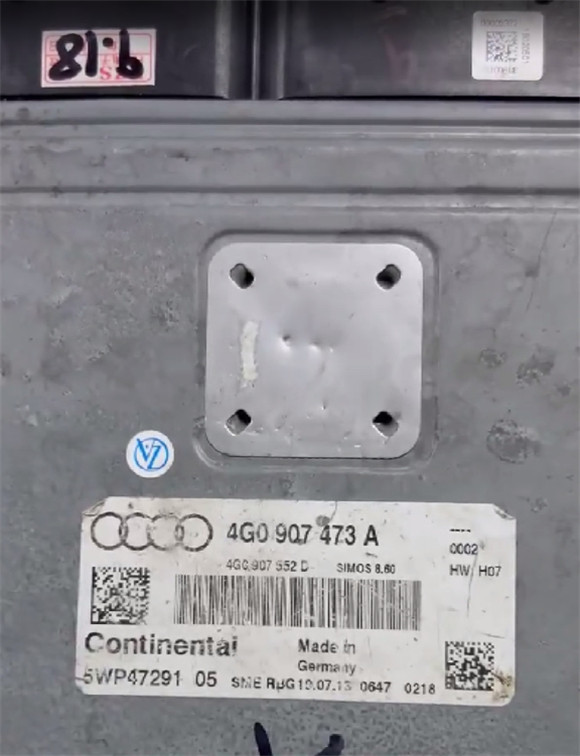
Requirements
CG FC200 software updated to the latest version (Cloning support for VAG Simos 8.5, 18.x, and 12.x was added in V1.3.3.1)
Stable internet connection
Active FC200 subscription
Cloning Procedure
Step 1: Back Up Original ECU Data
1. Connect the CG FC200 to the computer via USB.
2. Open FC200 software and navigate to:
Audi → Continental → Simos 8.6 → TC1796 → Platform Mode (Bench Mode)
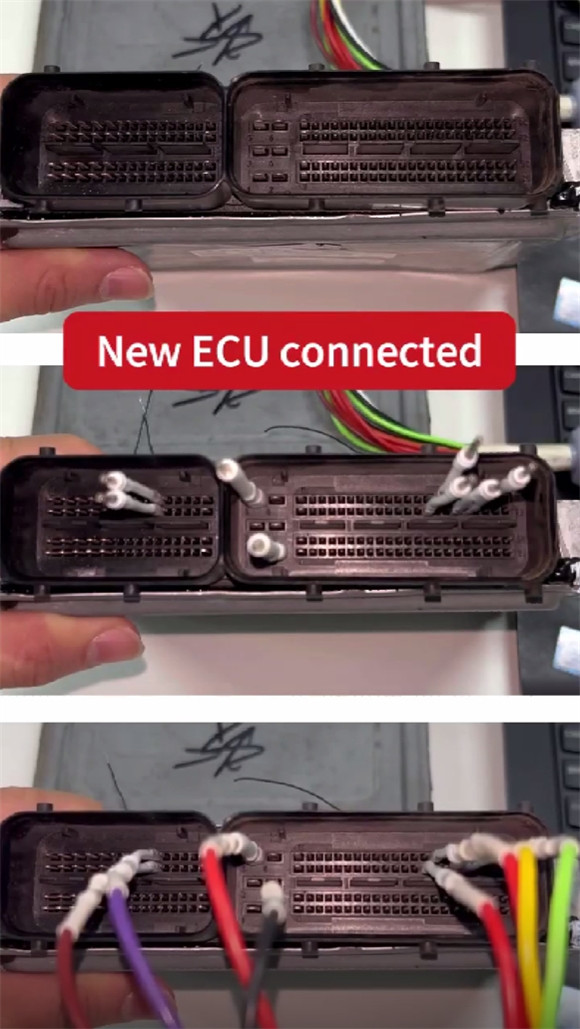
3. Follow the wiring diagram shown in the software.
No ECU opening or soldering required
4. Wiring reference:
Red: 12V
Black: GND
Yellow: CAN-L
Green: CAN-H
Brown: GPT-0
Purple: GPT-1
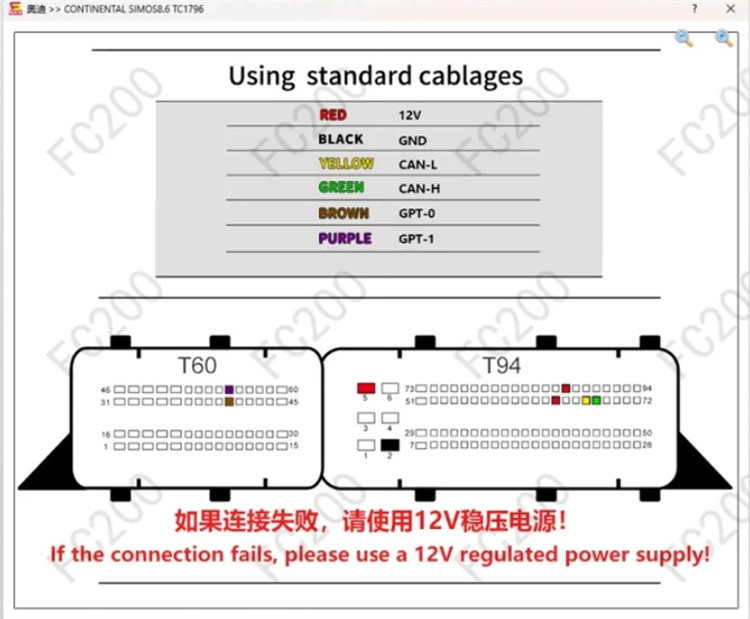
5. Use the DB15 jumper cable to connect the FC200 and ECU.
6. If connection fails, connect an external regulated 12V power supply.
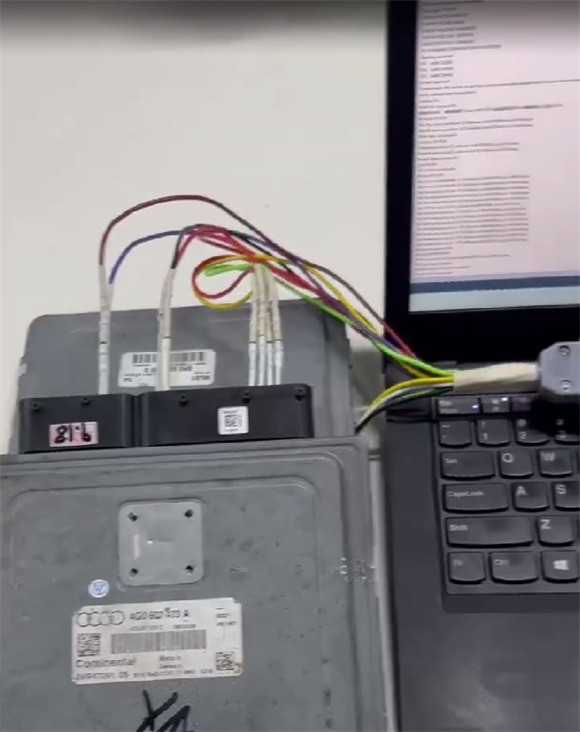
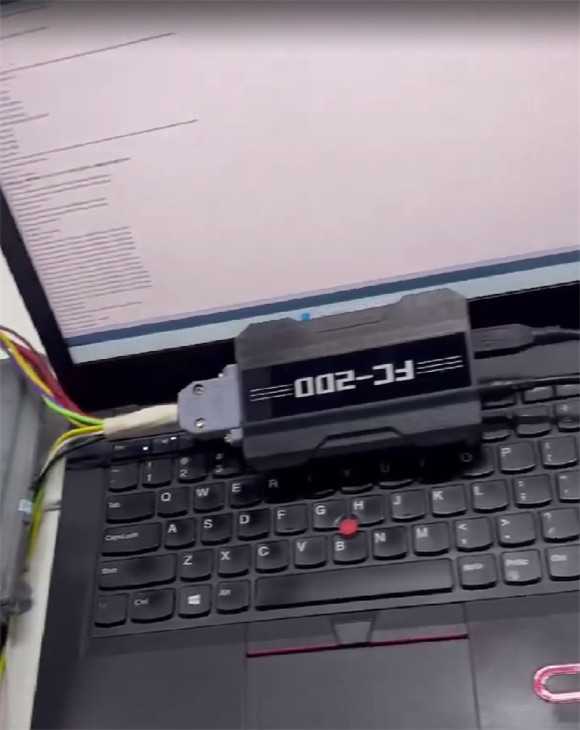
7. Click Identify ECU.
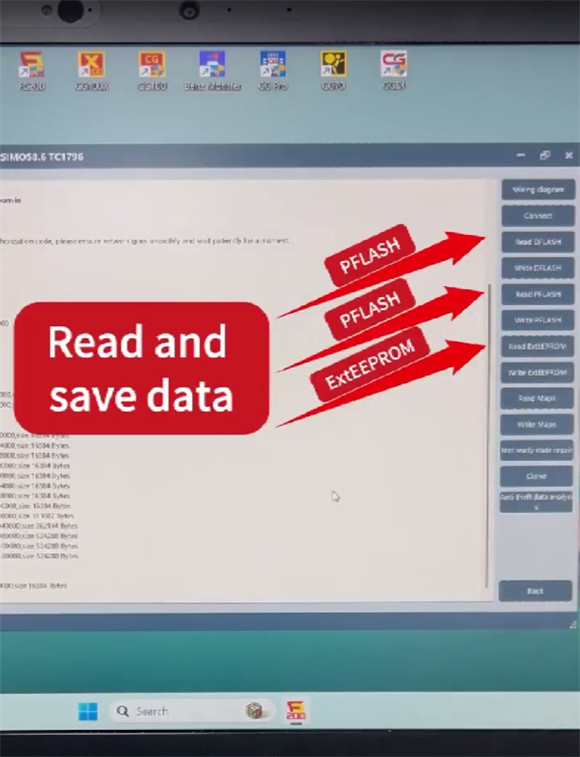
8. Read and save the following data in order:
Dflash
Pflash
ExtEEPROM
Step 2: Back Up Donor ECU Data
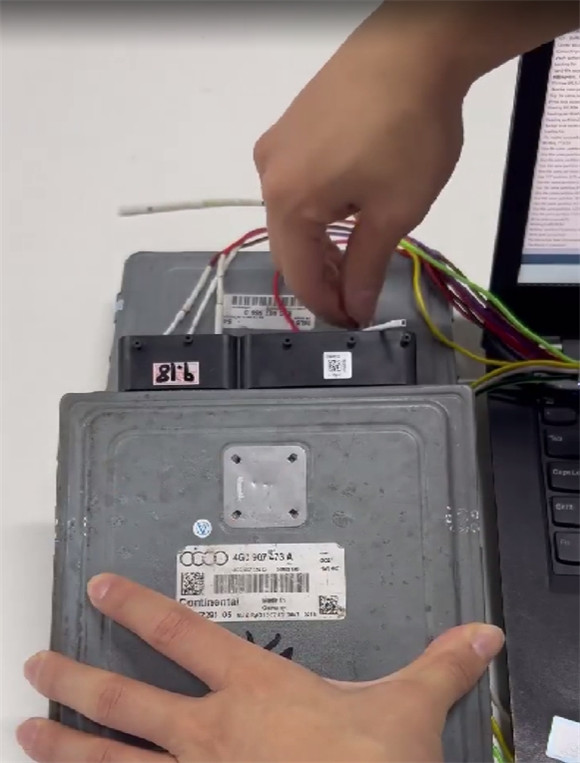
1. Remove the original ECU and install the donor (replacement) ECU.
2. Using the same bench setup, read and save:
Dflash
Pflash
ExtEEPROM
Step 3: Transfer Data (Calculate ExtEEPROM)
1. Click the "Clone" function in FC200 software.
2. Load:
Original ExtEEPROM
Original Pflash
3. Then load the donor Pflash.
4. Click "Yes" to confirm.
The software will begin data calculation. During this process, the right panel will turn gray.
Within a few seconds, the calculation will complete automatically and generate a processed data file.
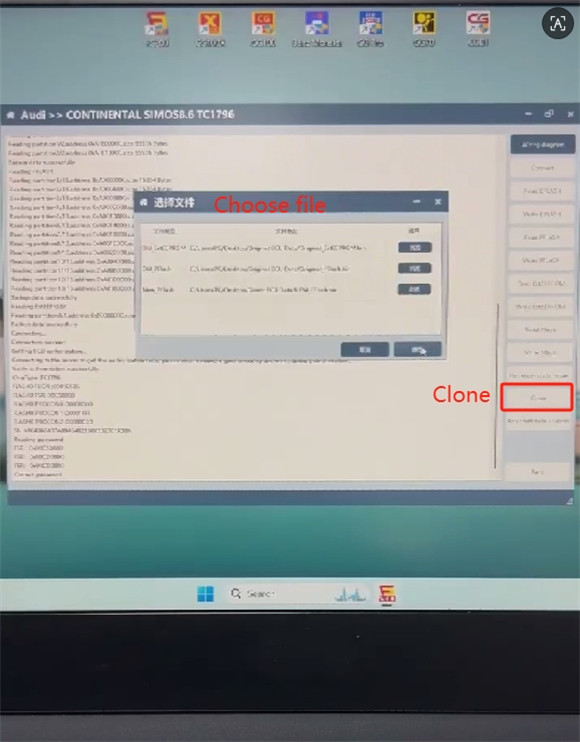
5. Save the generated file as clone_ExtEEPROM to your desktop.
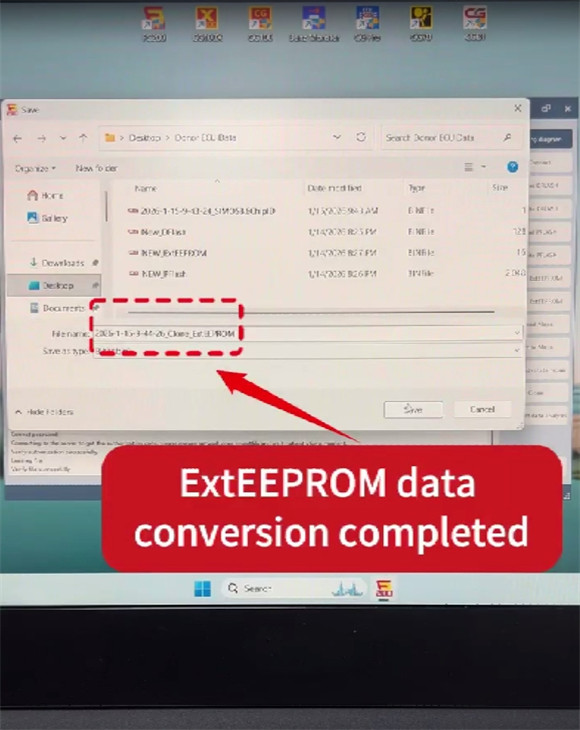
Step 4: Write Data to Donor ECU
1. Click Connect and identify the donor ECU again.
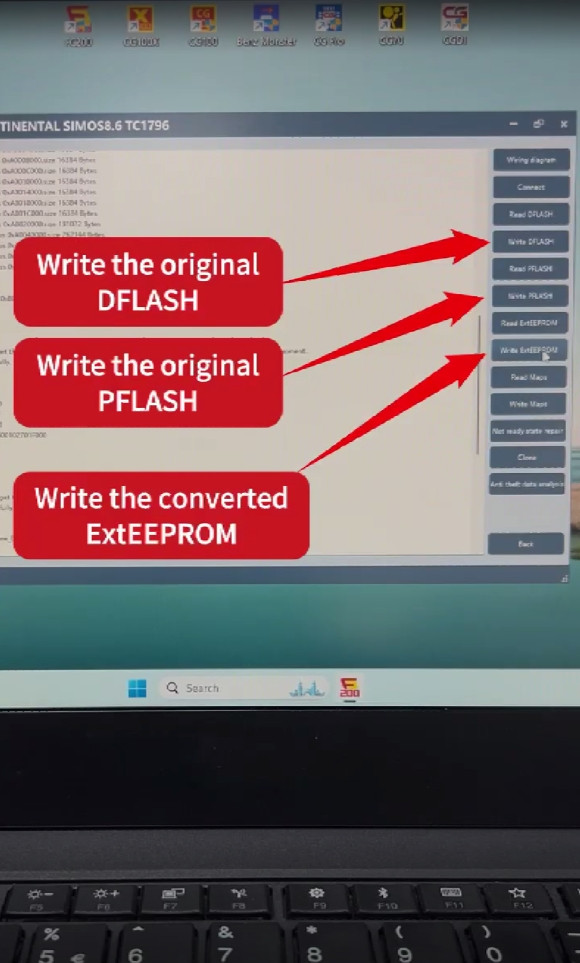
2. Write the following files in sequence:
Original Dflash
Original Pflash
Converted ExtEEPROM (clone_ExtEEPROM)
3. Once writing is complete, reinstall the ECU into the vehicle.
Result
Vehicle starts normally
No fault codes
ECU cloning completed successfully
✅ CG FC200 successfully clones the Audi SIMOS 8.6 TC1796 ECU