Newsletter
How to Add a BMW G-Series BDC3 Key Using CGDI K2
CGDI K2 Smart Key Tool V5.5.0 supports key programming for 2020–2024 BMW G-series vehicles equipped with BDC3 modules (Hungary-made keys only).
No activation or points are required.
Notes:
CGDI K2 can program both brand-new blank keys and used original keys.
It supports two versions of BDC3 key boards.
BDC3 key boards with a longer chip are not supported.

Step-by-Step Guide:
1. Access the Function
Go to More Functions → BMW BDC3 Add Key.
2. Check Wiring
Refer to the on-screen key wiring diagram and confirm proper connections.
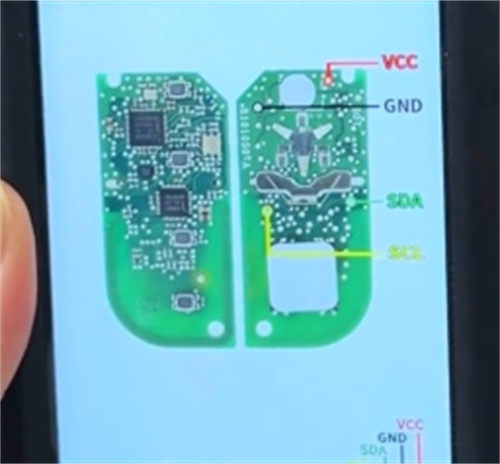
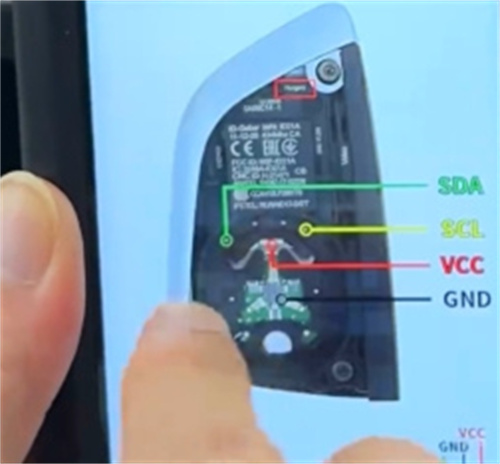
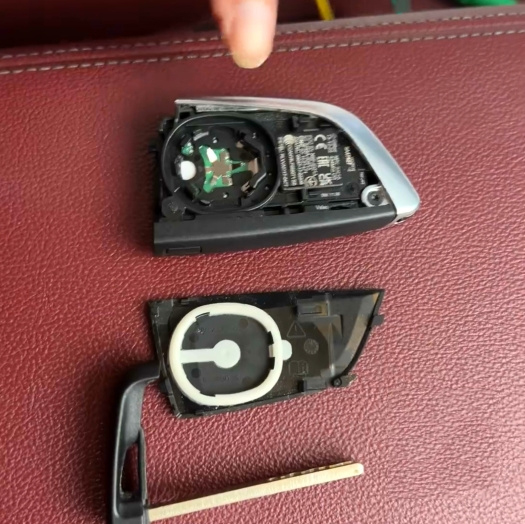
3. Prepare the Original Key
Open the original key shell and connect it to the CGDI K2 using the remote generation cable.

4. Read and Save Key Data
Read the original key data and save it securely with the CGDI K2.
5. Write the New Key
After saving the data, write it to a new original key to complete the process.